One system to manage your entire court booking process:
Gaxas Booking Case Study
From facility resource setup, scheduling, and online payments to customer reminders and no-show tracking, everything can be done in one system. No need to piece together different tools to meet your business needs.
A seemingly simple task,
but it involves six critical elements
Opening for bookings might sound simple, but it involves many functions and elements behind the scenes. Missing any of them can cause operational issues.
Facility & Business Hours Management
How many courts? Which are open? What are the operating hours for each? These all need to be centrally managed.
Special Schedule Adjustments
Beyond regular hours, special situations like holiday adjustments or maintenance closures must be handled without relying on manual daily tracking.
Dynamic Pricing Conversion
Prices often vary for weekdays, weekends, holidays, or even membership tiers. The system needs to calculate and display these automatically.
Customer Data Integration
Names, phone numbers, emails, and sometimes special requests need to be collected and stored in one place for easy access.
Payment Processing
Supporting credit cards, PayPal, and dealing with failed, timed-out, or reconciliation issues.
Attendance Reminders & Tracking
Reminding customers before the booking, tracking attendance, and easily reviewing transaction and booking records afterwards.
No more piecing tools together.
Gaxas Booking handles it all.
No need to piece together different tools anymore. Here is how Gaxas addresses each of the requirements mentioned above.
Facility Resource Setup
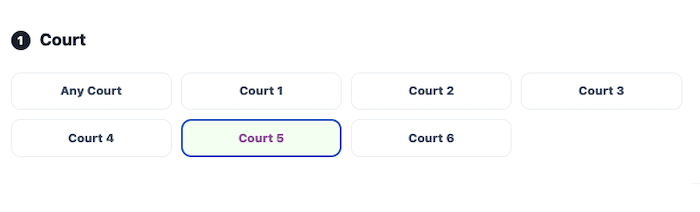
Configure the number of courts (Court 1 to 6, or 'Any Court') in Locations and System Settings, along with operating hours and resource types. The frontend will automatically display the corresponding bookable options.
- Supports up to 6 independent courts, or 'Any Court'
- Independent business hours for each facility
- Frontend automatically displays bookable options
Scheduling & Special Roster Rules
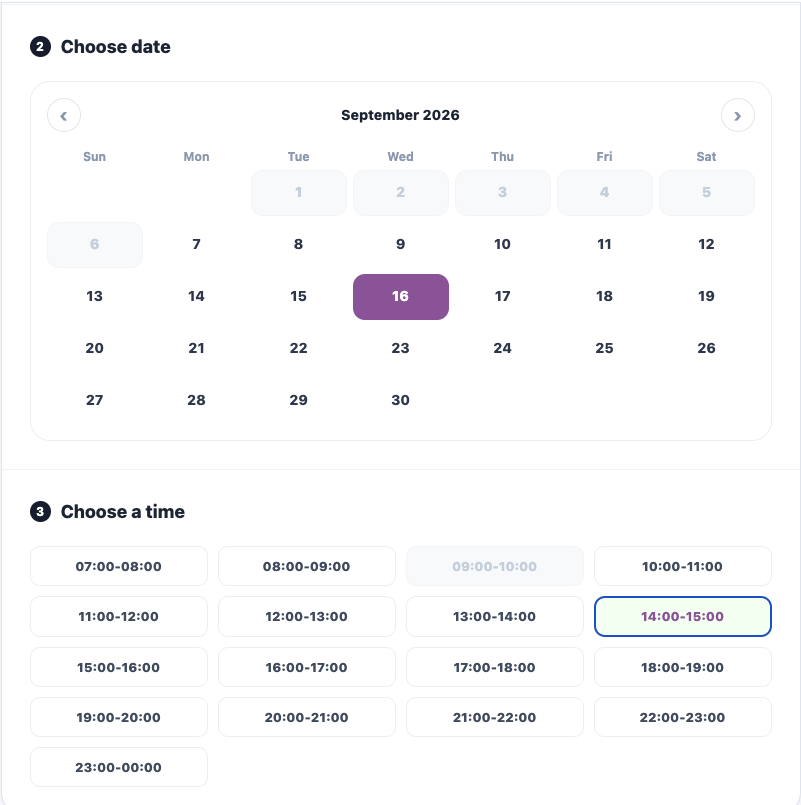
Use Plan Mode to set fixed weekly opening slots. For extra holiday slots or maintenance closures, use Special Mode / Schedule Off to override. The system automatically calculates and generates the frontend schedule to prevent double bookings.
- Plan Mode: Fixed weekly recurring schedule
- Special Mode: Temporary single-day additions or adjustments
- Schedule Off: Suspend service and block bookings
Real-time Dynamic Pricing Display
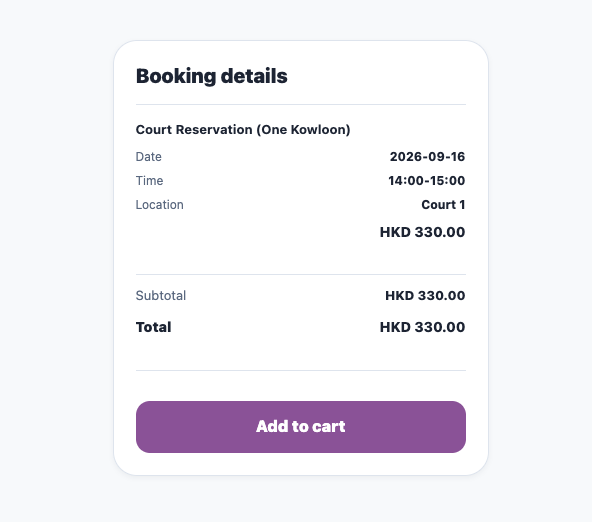
Weekdays / weekends / holidays and membership tiers automatically trigger corresponding pricing rules. After selecting the facility and time, the 'Booking Details' on the right instantly shows the subtotal and total amount, eliminating manual quoting.
- Automatically apply dynamic pricing by date type
- Membership tiers enjoy corresponding discount prices
- Real-time display of subtotal and total amount
Expand Multiple Services on One Site
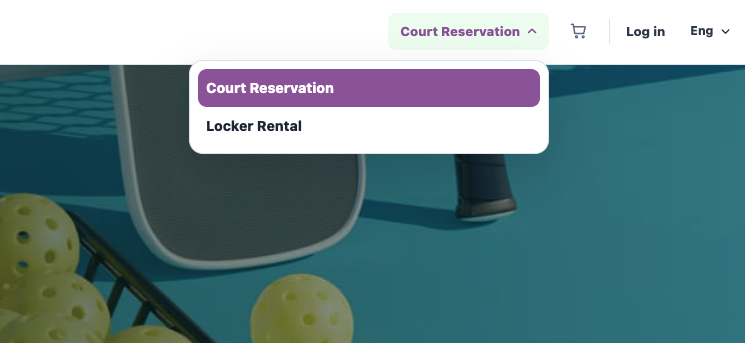
Besides court bookings, the same website can also offer Locker rentals, coaching courses, and other services. Customers can switch directly via the top menu without needing a separate website or system.
- Switch between services directly from the top menu
- Add extension services like Locker rentals
- No need to build a separate website or system
What makes Gaxas Booking
perfect for facility businesses
Beyond basic booking functions, here are a few reasons why Gaxas Booking is particularly suitable for facility-based businesses.
Checkout Together with Locker Rentals
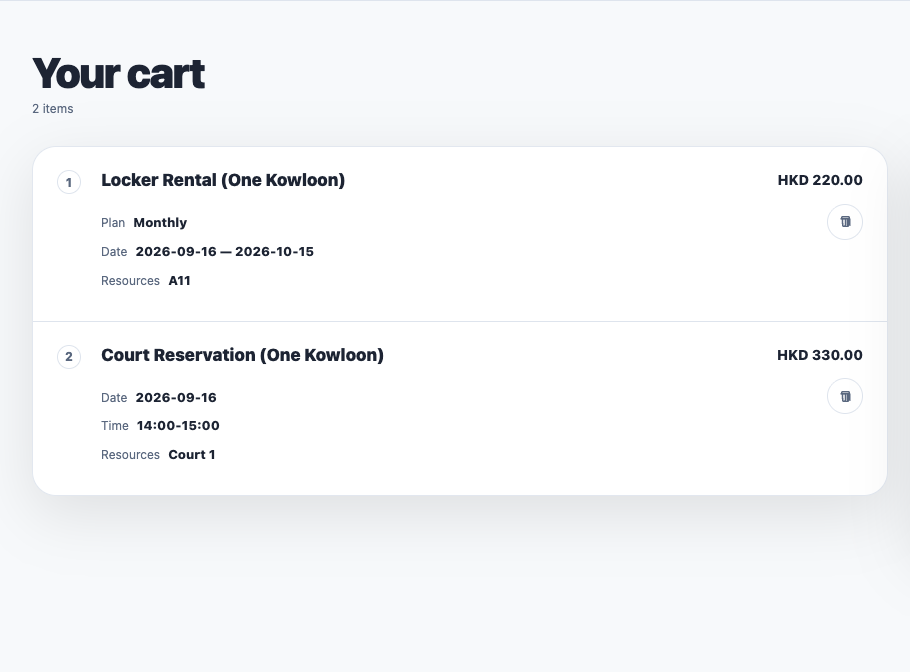
Customers can add different facilities, time slots (and even Locker rentals) to the cart at once, and check out in a single payment. No need to place separate orders and payments, reducing repetitive actions.
Complete in One Page with CyberSource / PayPal
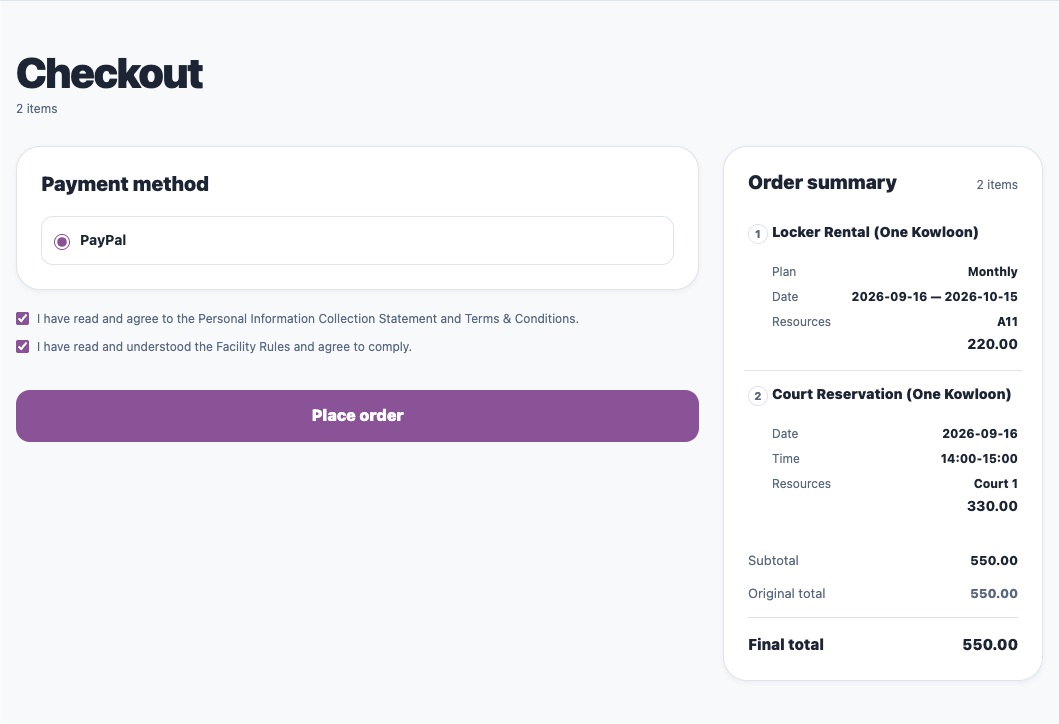
The checkout page supports CyberSource / PayPal and other payment methods. Personal information and facility usage terms confirmation are built into the same flow. Customers can complete it on one page, and staff don't need to manually verify terms signatures afterwards.
Prevent Facilities from Being Tied Up
If a customer selects "Reserve and Pay Offline" but fails to transfer funds within the time limit, the system will automatically cancel the order and release the locked time slot, allowing other customers to re-book and preventing the facility from being tied up.
Automated Check-in &
No-show Tracking
One of the biggest headaches in the facility business is "No-shows" — Gaxas Booking helps you automate most of the manual tracking work in this area.
Auto-sync Transaction Records
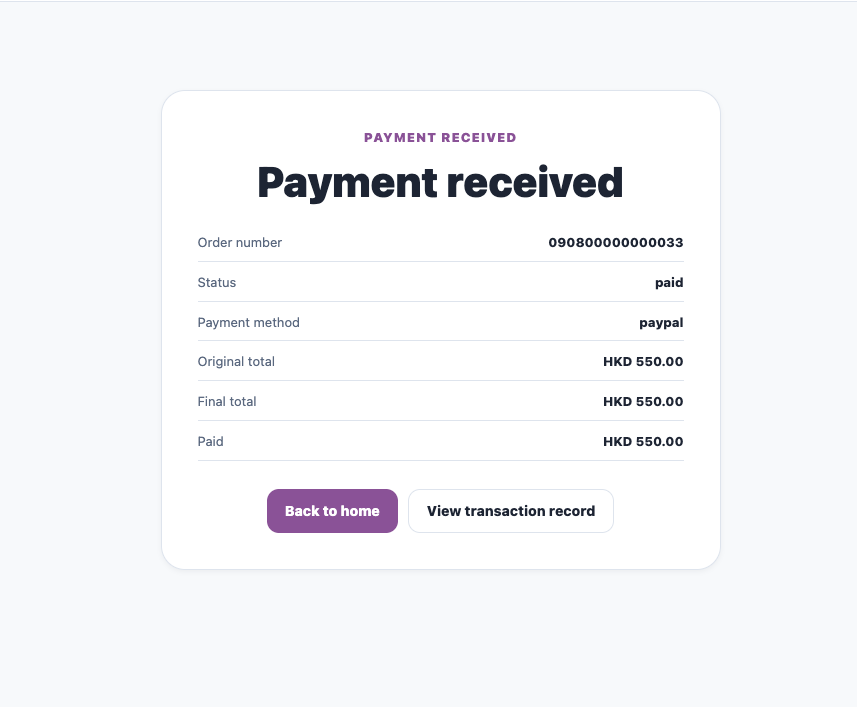
Transaction records automatically sync all payment statuses (e.g., paid, payment_failed) and display them alongside the corresponding booking details. Staff no longer need to reconcile receipts manually or check email confirmations.
Booking Status at a Glance
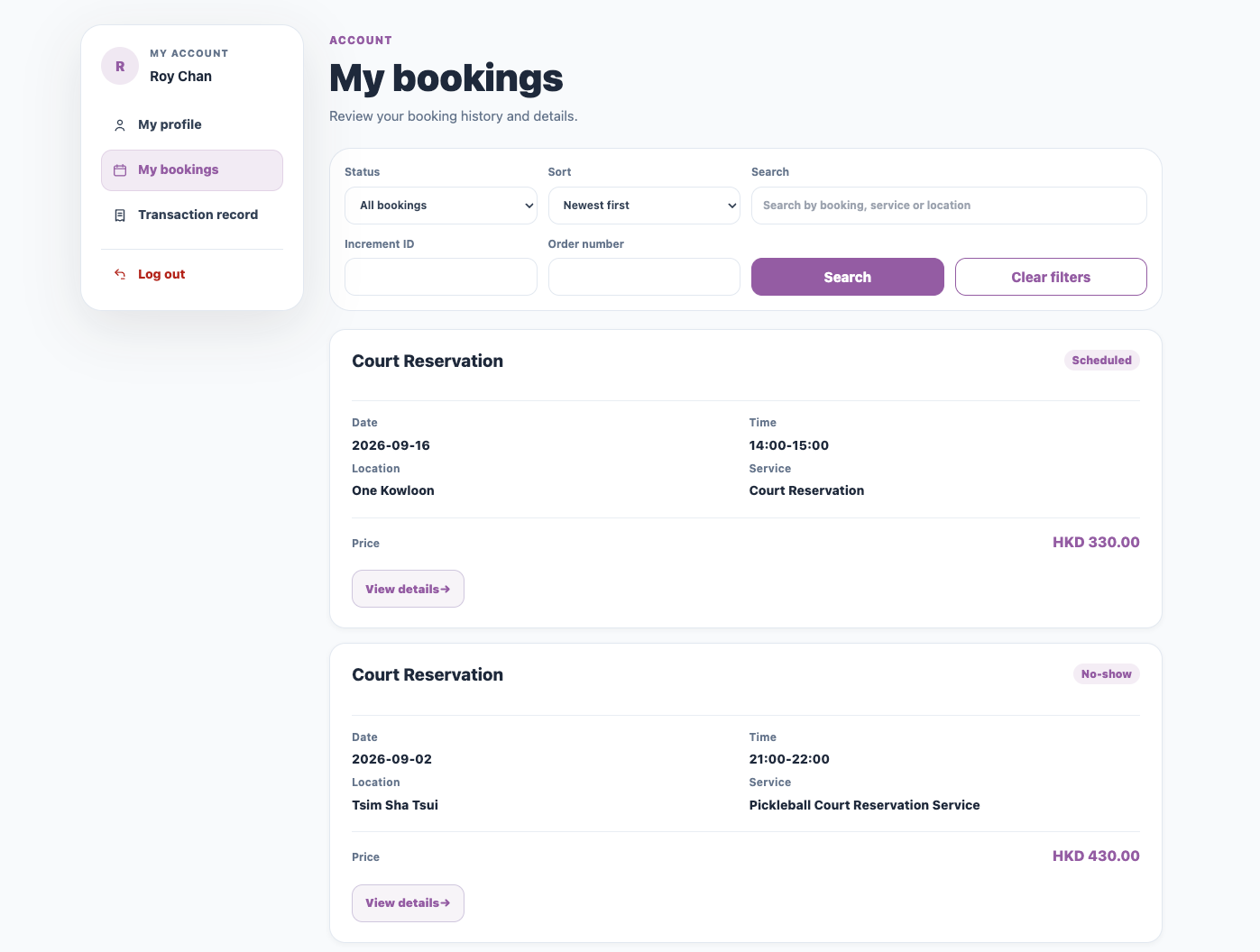
The "My Bookings" list clearly displays the status of each booking, including Scheduled, Active, and most importantly, No-show. The system automatically detects this based on the time slot, so staff don't have to verify attendance for each facility manually.
Complete Contact Info for Reminders
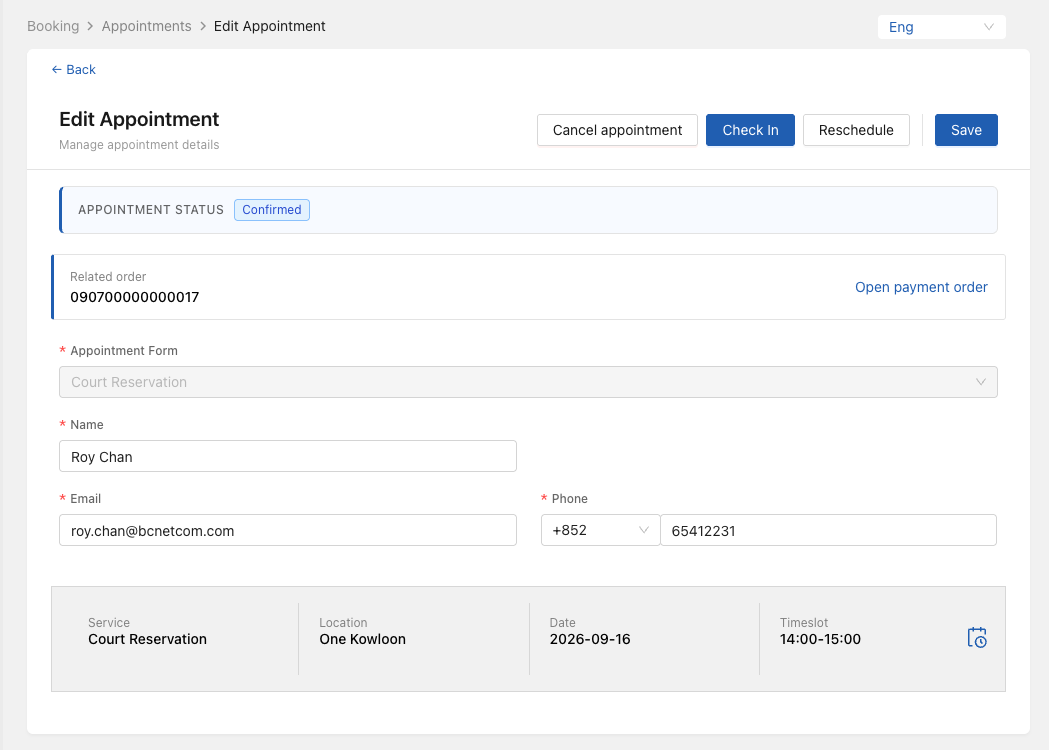
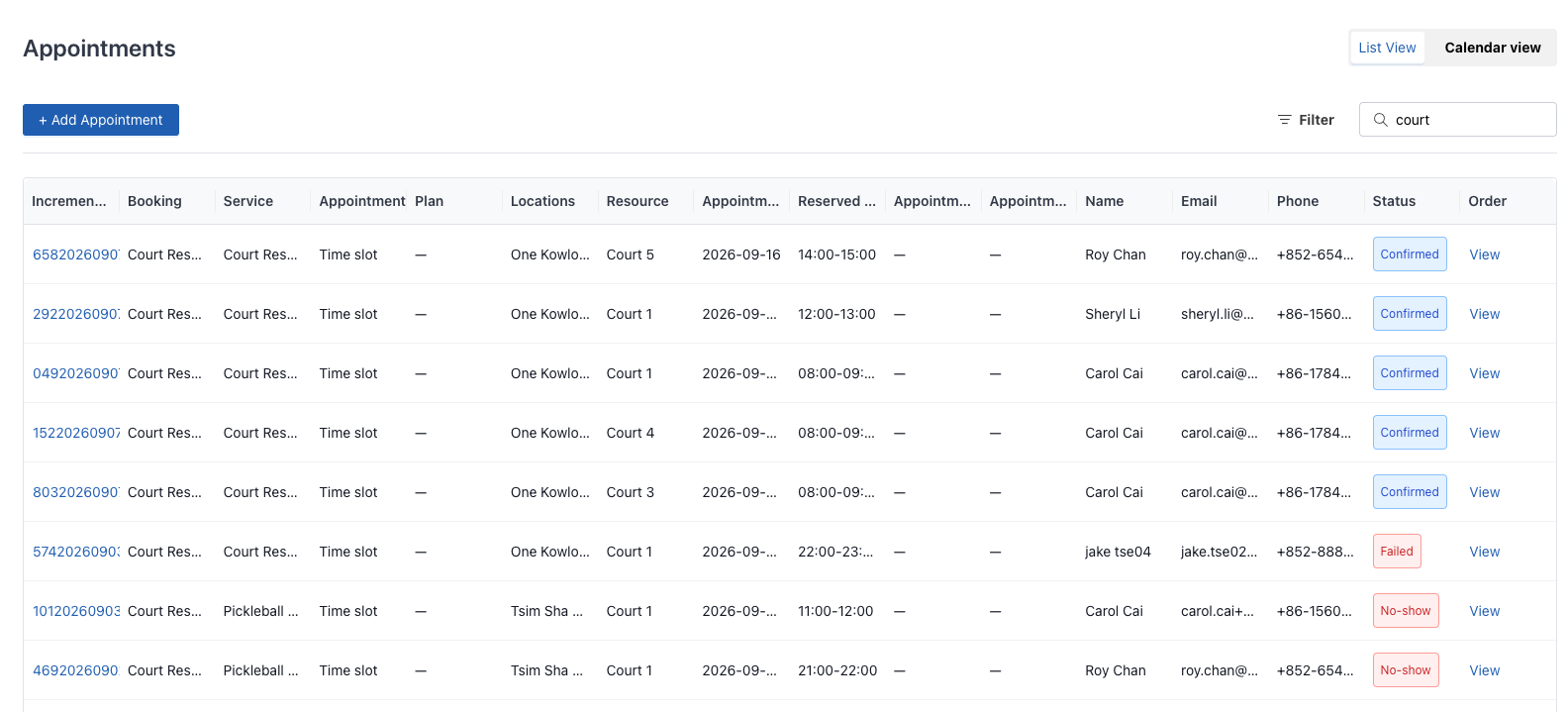
Every booking detail retains complete contact information (name, email, phone number), making it easy to send pre-booking reminders via Email / WhatsApp / SMS, or follow-up messages after marking a No-show, reducing the time spent on manual phone confirmations.